Tutorial to Update Samsung Galaxy Nexus with Parandroid Custom ROM Firmware

The Galaxy Nexus by Samsung is one of the first phones from Sprint to run on the Android 4.0 (Ice Cream Sandwich) platform. The lock screen, widgets, notifications, multi-tasking and everything in between has been incredibly designed to make Android simple, beautiful and beyond smart. Your apps, music, documents, photos and contacts are stored safely in the cloud, so if your phone is lost, your content is safe. It does everything Gingerbread and Honeycomb could do, plus lots more by blending the best of Gingerbread and Honeycomb for a more unified experience. In the due course of this article we explain you on how you can install the latest firmware of Parandroid custom ROM firmware in your Samsung Galaxy Nexus Smartphone. This Parandroid custom ROM firmware’s UI gives a tablet mode view to your Nexus. Please note note that this is not the official firmware which is released by Samsung Electronics or Google Inc. but is a custom ROM firmware developed by a third party developer. Also, this update should only be applied to the devices which are Unlocked Galaxy Nexus devices. This firmware should not be applied to the network locked Galaxy Nexus devices. Therefore, user’s discretion is advised before proceeding.

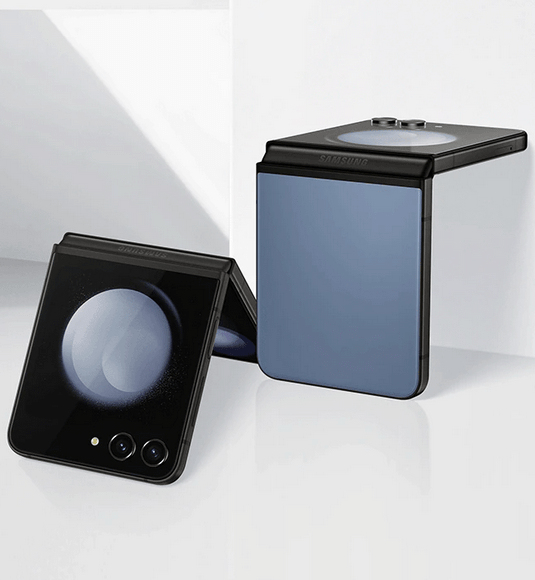
Samsung Galaxy Nexus

Warning: Neither developer nor we would be held responsible for any damage caused to your phone while following the instructions mentioned. But don’t worry if there are any issues just in case if at all, we are committed to help you in re-solving the same.

This update comes with the following improvements and enhancements:

  • Full interface comes with a better panel.
  • Per-App Layout has been infused to make the UI beautiful.
  • This new firmware allows you to switch the home screen between the Phone mode and the tablet UI seamlessly.
  • All the scaling bugs has been taken care of as PAL has fixed it all, Trebuchet fork is now obsolete and comes with the Nova 1.1.4 which projects into the mobile layout.

Pre-Requisites:

  • This Custom ROM Firmware update is only for the users who own Samsung Galaxy Nexus I9250.
  • Please ensure that your device has atleast 70% of charge left with it, so that everything goes fine without power interruption.
  • Enable the USB Debugging in your Galaxy Nexus from the path “Settings > Applications > Development > USB debugging”. The USB Debugging option should be ticked.
  • Disable all Security programs like antivirus and firewall from your computer and uninstall them too from your device, as these programs generally interrupt the process of firmware update.

Download the Parandroid Custom ROM firmware, Google Apps Package & Parandroid Fix from here to your computer.


Procedure to Update Galaxy Nexus with Parandroid Custom ROM Firmware:

Step 1. Connect your phone to the PC using the USB cable and transfer the downloaded files to the root of your SD card and disconnect your phone from the PC.

Step 2. Now, reboot your phone in Boot loader mode. For this, press the Volume Up + Volume Down and then simultaneously press the Power button till you see the Boot loader mode screen.

Step 3. Now, in boot loader, you need to select the option of “recovery mode” which can be achieved with the help of Volume keys and press the Power button to confirm the same. In the recovery mode, select the option “install zip from SD card” and then select “choose zip from sd card” and then navigate to the “Parandroid Custom ROM Firmware Package”, “Google Apps” & “Parandroid Fix” which is located in your phones SD card.

Step 4. When the installation procedure has completedselect “++++Go Back++++” and then choose the option of “Reboot system now”.

NOTE: At any point of time if the process of firmware update gets stopped due to any reason, all you need to do is restart the process from starting by re-inserting the battery.

That’s it you have successfully applied the Parandroid custom ROM firmware update to your Samsung Galaxy Nexus.

Leave a Reply

Your email address will not be published. Required fields are marked *

You may use these HTML tags and attributes: <a href="" title="" rel=""> <abbr title=""> <acronym title=""> <b> <blockquote cite=""> <cite> <code> <del datetime=""> <em> <i> <q cite=""> <strike> <strong>