Root your Samsung Galaxy R and Install ClockworkMod Recovery: Tutorial

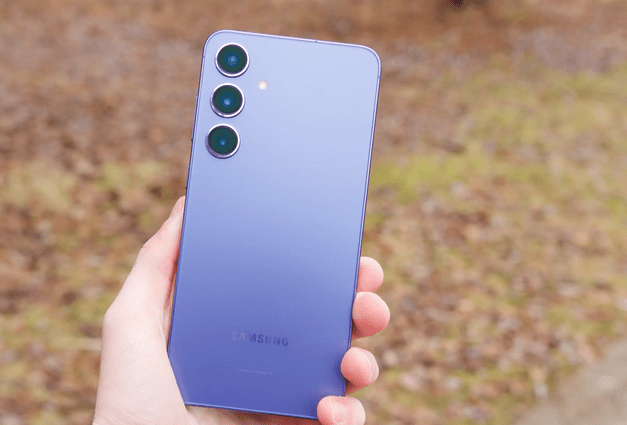
New procedure has been out for Rooting your Samsung Galaxy R and Install ClockworkMod Recovery on it. This rooting procedure is applied on Samsung Galaxy R model no. I9103. Samsung Galaxy R I9103 comes with Android OS v2.3 and a powerful Dual-core 1GHz ARM Cortex-A9 processor. It has bright 4.2 inches SC-LCD capacitive touchscreen with 16M colors and 480 x 800 pixels resolution. Samsung Galaxy R I9103 has 5 MP camera with autofocus and LED flash plus a Secondary 1.3 MP camera and Video recording at 720p@30fps. The phone has Bluetooth v3.0 + HS, Wi-Fi 802.11 b/g/n, Wi-Fi hotspot, DLNA and 3G data transfer at HSDPA 21 Mbps; HSUPA 5.76 Mbps. All thanks goes to the XDA Developers forum member legion1911, it’s now possible to flash ClockworkMod Recovery to the Galaxy R via Odin, and to root the Galaxy R by flashing Superuser from Recovery Mode. Let’s check out the procedure.

Rooted

Disclaimer: This procedure is for Samsung Galaxy R model no. I9103. Neither we nor developer are responsible for any error occurred in your device. But don’t worry If any issues occur we are committed to help you in solving the same.

Pre-Requisites for Root your Samsung Galaxy R:

Step by step guide to Root your Samsung Galaxy R:

Step1. First you have to extract the ClockworkMod Recovery package into a folder on your computer.  You will find two files: cwm.apk and cwm.tar.

Step2. Now, Copy the Superuser .ZIP file into the root directory of your phone’s internal SD card.

Step3. Now, double click on ODIN root tool and launch it in your computer. Go to the option in Odin and make sure that “Repartition” isstyle=”text-decoration: underline ;”>notchecked.

Step4. Now it’s time to select the rooting file =>> Click on the PDA tab =>> Choose the cwm.tar file which you extracted from the ClockworkMod package.

Step5. Computer section work is done now go to your phone and restart it. Reboot it into download mode by holding down the Volume Down and Home buttons together, then pressing the Power button.

Step6. Once the phone is in download mode, connect your phone to your computer via the USB Cable.  You should see the device connected to Odin and the ID: COM section will turn yellow; your device has been recognized.

Step7. Click on start button in Odin. The software will flash the recovery image and your phone will reboot.

Step8. Now unplug your phone from the computer and reboot into the recovery mode. Recovery mode can be entered by holding down the Volume Up and the Home buttons as you turn the phone on. Let go of the Power button once you see the boot splash screen.

Step9. Now, make a Nandroid backup of your phone. Then, navigate to “Install Zip from SD Card” and select “Choose zip from SD card” =>> Select the Superuser zip that you copied to the phone earlier. Once the file is flashed, reboot your device.

That’s it you have successfully rooted your Samsung Galaxy R I9103 and install ClockworkMod Recovery on it.

Other reached here searching for:

    clockwork recovery 4 0 0 2 for galaxy r, how to root galaxy r ics, samsung i9103 flash file 4 2 2, samsung i9103 4 2 2 os, samsung galaxy r protocol v2 odin 3, rootear i9103 con odin, root ics galaxy r, root i9103 ics, odin3 protocol v2 samsung galaxy r, download galaxy r i9103 rooting package rar, cwm tar для galaxy r, cwm galaxy royal, cwm 4 0 0 2 для galaxy r, cwm 4 0 0 2 for samsung galaxy r, clockworkmod 4 0 0 2 galaxy s2 download, superuser galaxy r cwm

Tagged with 

2 thoughts on “Root your Samsung Galaxy R and Install ClockworkMod Recovery: Tutorial

  1. Santhosh S.R. says:

    What is routing of the Samsung Galaxy R .

Leave a Reply

Your email address will not be published. Required fields are marked *

You may use these HTML tags and attributes: <a href="" title="" rel=""> <abbr title=""> <acronym title=""> <b> <blockquote cite=""> <cite> <code> <del datetime=""> <em> <i> <q cite=""> <strike> <strong>