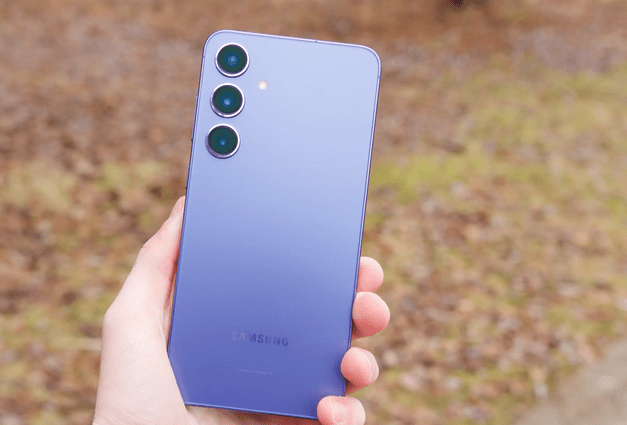
Now it’s a time for AT&T variants of different Samsung devices getting firmware updates. A firmware leaks for AT&T Captivate Glide which is Android 4.0.4 Ice Cream Sandwich. AT&T is yet to release this Android 4.0.4 update so people are eager to flash this leaked firmware in their device. Below this tutorial will help you to flash the firmware. This is not a official firmware so there may be bugs and issues present.
Pre – Requisite:
- Proceed with the installation process by taking the backup of all your data apps and settings, which will be wiped up during the flashing of ROM but wiping will not touch your SD Card. So, backup the data such as Call Logs, Contacts, Images, Music, Videos, SMS, Bookmarks, APN settings and MMS settings to your micro SD card.
- Minimum 80% of battery life is required to complete the process otherwise it is not possible for you finish this process. On skipping this process, may be your device won’t start at all.
- You need to enable the USB Debugging on your AT&T device by following the path ‘Settings > Applications > Development > USB debugging’. Then, tick the USB Debugging option box.
- It is necessary for you to uninstall the Samsung’s PC software Kies, if it’s not installed on your Captivate Glide than it won’t interrupt you during the flashing process.
Downloads:
- Ensure that you have installed the proper drivers for your AT&T device. If not, Go through the link below and get it installed on your Computer.
64-bit (x64) Windows | 32-bit (x84) Windows
- You are also needed download the firmware for your Captivate Glide. Click here to download it. (File name: I927UCLG9_OneClick.exe | 664 MB)
How to Update your AT&T Captivate Glide with Android 4.0.4 Ice Cream Sandwich:
Step 1. First you need to turn off your Captivate Glide and boot into the download (Odin) mode. You can do this by pressing and holding the Volume Up and Power button simultaneously until the screen appears. Press Volume Up button to enter in download mode.
Step 2. Then, double-click on I927UCLG9_OneClick.exe file to launch Odin flashing program on your Computer.
Step 3. Then you need to plug in your device to your Computer via USB data cable and wait until Windows finishes the driver installation.
Step 4. When the installation gets completed and Windows will detect the AT&T device then the message says ‘Added!’ under the Odin message box will appear. If you don’t see the message, it means the device is not connected properly. Repeat the process again, until you see the message or re-install the driver. Please ensure that you have uninstalled Kies from the Control Panel.
Step 5. On Odin, press the ‘Start’ button to flashing the firmware on your Captivate Glide.
Soon you will find that after the flashing is complete your device will reboot automatically and a PASS message will appears with the green background on Odin. Now, it’s safe to disconnect your device.
Step 6. When the phone boots up, your device is ready for you.
Congratulation, you are now successfully installed firmware on your AT&T Captivate Glide.
Other reached here searching for:
- I927UCLG9_OneClick exe, www samsung com/us/attcaptivate/update, i927uclg9_oneclick exe tool, how to root samsung i927 with 4 0 4, rootear i927 android 4 0 4, rooting samsung captivate glide 4 0, Samsung Captivate Glide AT&T ROM variant, samsung captivate glide usb debugging option, samsung galaxy glide wont start up, samsung i927 4 0 odin, time to waiting for a reboot after aokp rom installation samsung sgh-i927 captivate glide, root samsung captivate glide with 4 0 4, root 4 04 ics captivate glide, official captivate glide ics odin, how to unroot samsung captivate glide without computer, how to unroot i927, how to unroot captivate glide, how to root a samsung captivate glide ics 4 0 4, how to root 4 0 4 captivate glide, captivate glide ics rom


I updated the leak to my Samsung Captivate Glide, and it worked, but the backlight on the keyboard does not work at all. The actual update is available on Samung Kies, and i tried it but it brought up the keyboard problem, would i be able 2 get step by step how to go back to stock Android 2.3.6 ????